Upload your existing CV in any layout. Our AI Harvard CV builder carries over your details into a clean Harvard format and suggests stronger wording. No retyping your experience. No filling in every field. Just upload, review, and export.
UPLOAD FIRST. REFINE WITH AI WHEN YOU WANT.YOUR WORK. YOUR FINAL WORD.
Scroll to see the result
NO RETYPING REQUIRED
Start with the CV you have.
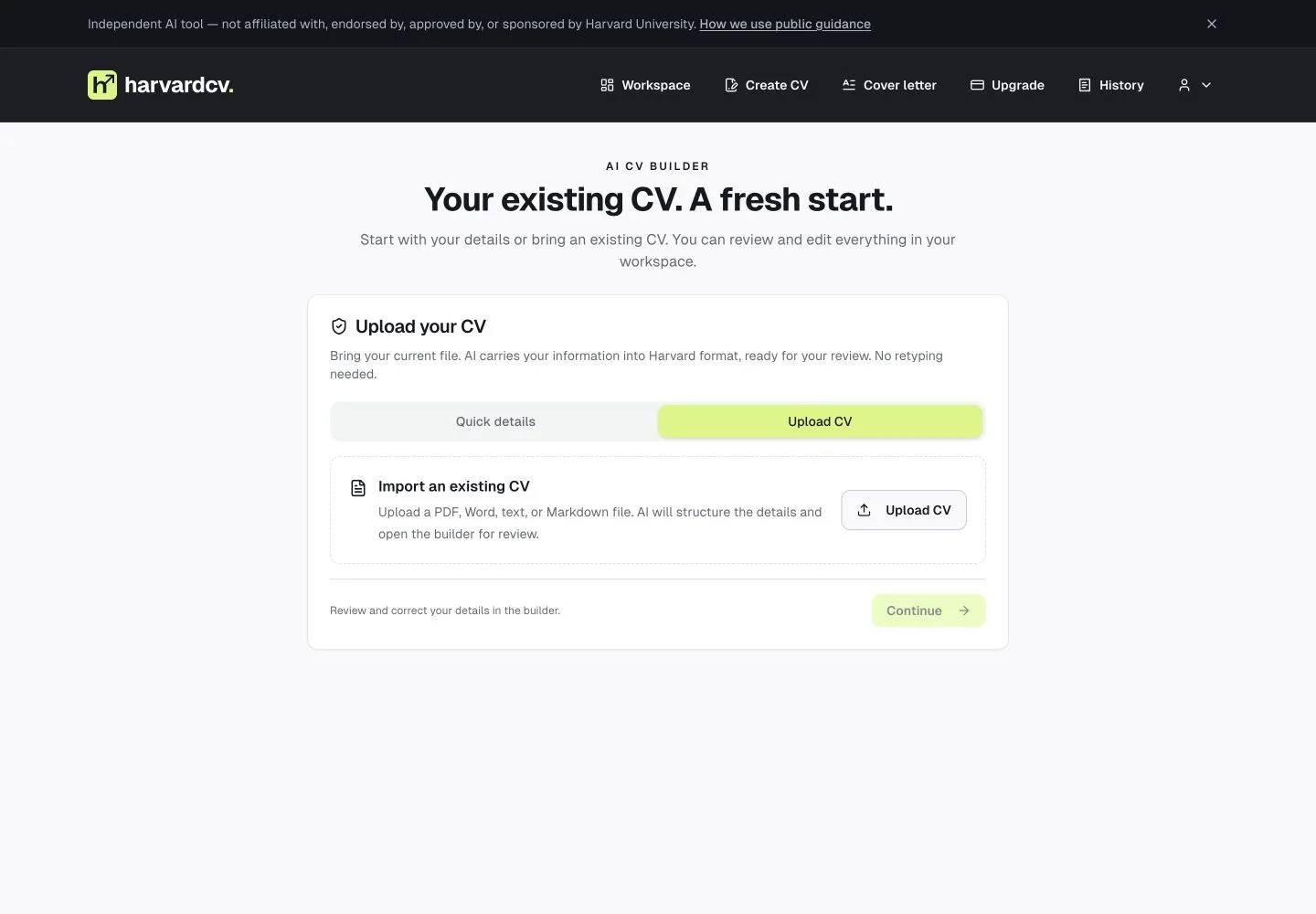
Bring your existing CV in any layout. AI carries your information into Harvard format, so you can start with a draft instead of a blank page.
PDF, Word, text, or Markdown
Your experience is the starting point
01 / 05
harvardcv. / upload
01 / Bring your existing CVActual app · illustrative CV
TALK IT THROUGH
Ask for the change you want.
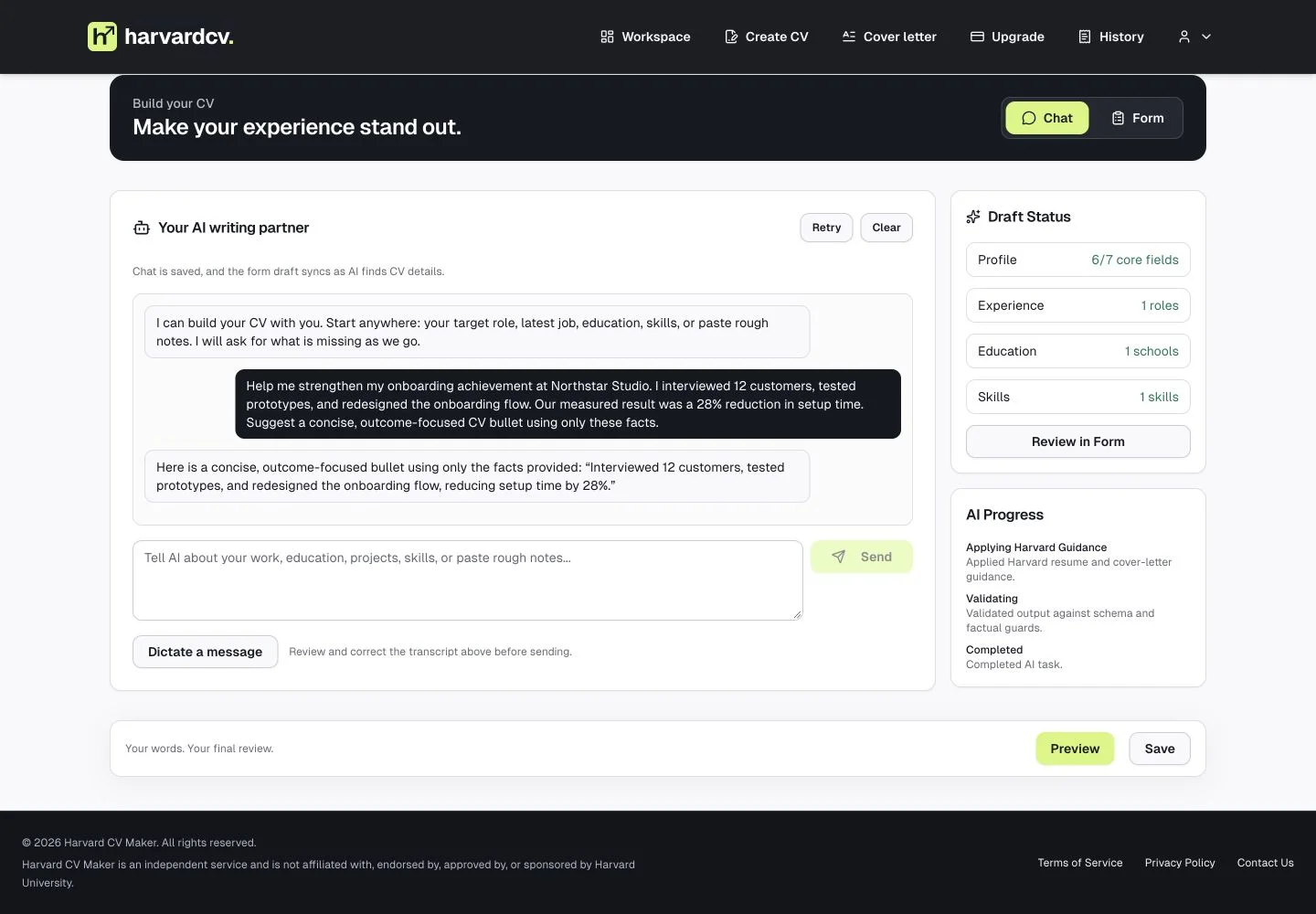
Describe an achievement, add missing context, or ask for a clearer bullet. Work with AI in a conversation while your CV draft takes shape.
Use your own words
Refine your draft with follow-up requests
02 / 05
harvardcv. / chat
02 / Refine your CV in chatActual app · illustrative CV
YOU HAVE THE FINAL WORD
AI suggests. You decide.
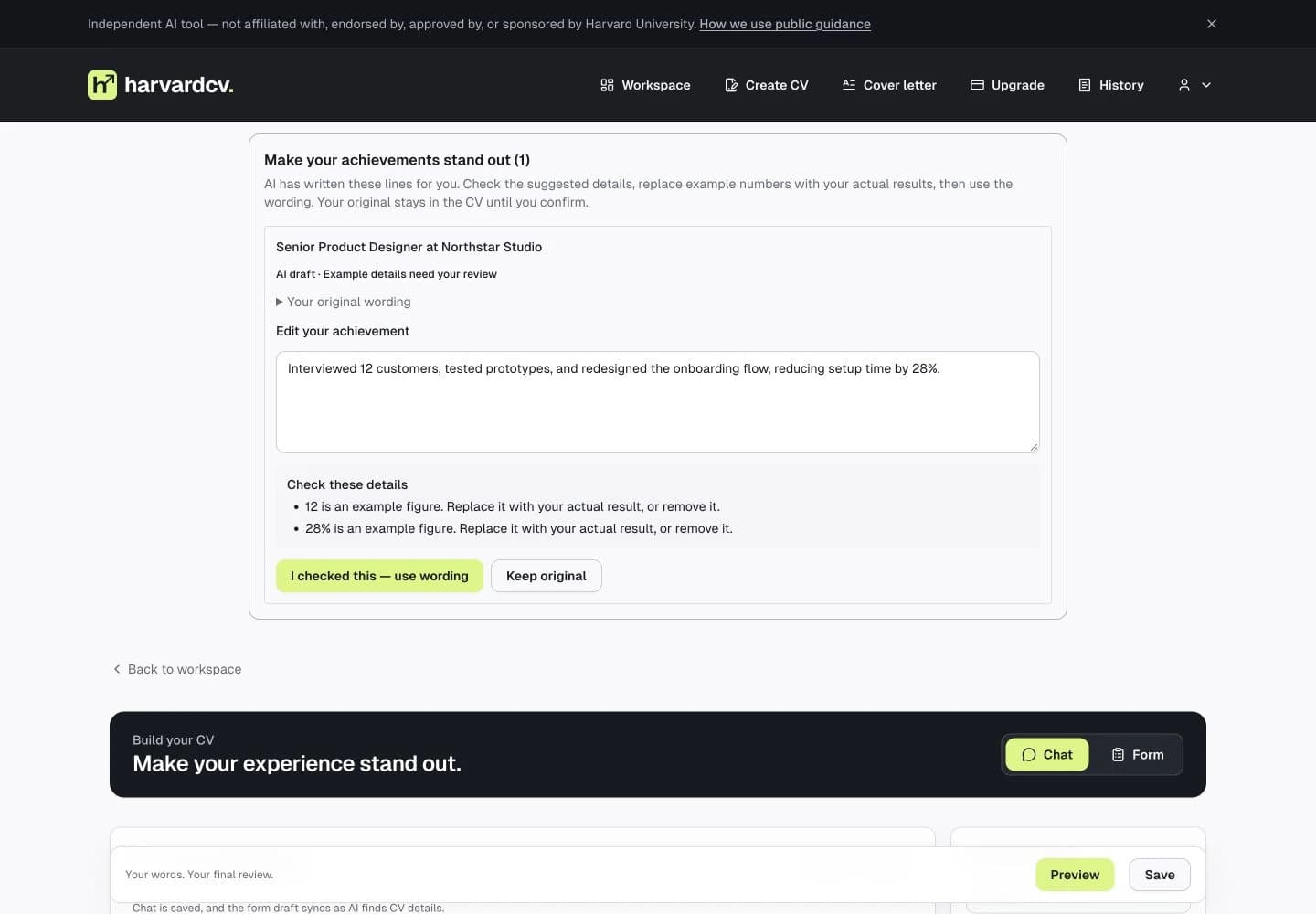
Review a stronger version of your achievement alongside its original wording. Check flagged details, edit the suggestion, then accept it—or keep your original.
Example details are flagged for review
Your original stays until you confirm
03 / 05
harvardcv. / ai suggestions
03 / Review before accepting a suggestionActual app · illustrative CV
FOR THE DETAILS YOU KNOW BEST
Make every section your own.
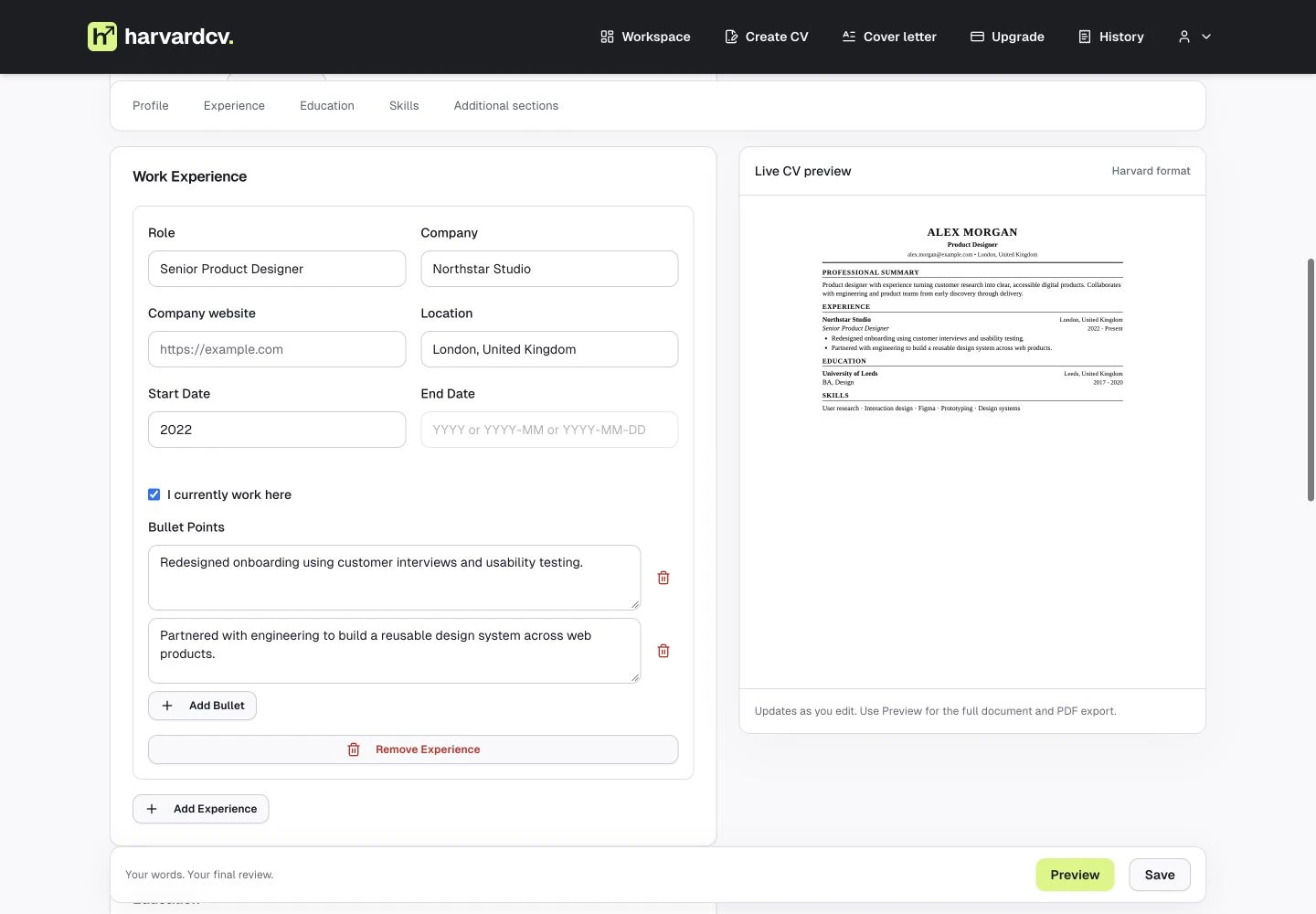
Prefer to edit directly? Switch to the form, update your experience and education, and see your Harvard-format CV in the live preview.
Edit individual fields and achievements
See how your changes read on the page
04 / 05
harvardcv. / direct edit
04 / Edit directly with a live previewActual app · illustrative CV
READY FOR YOUR NEXT MOVE
A document you can send.
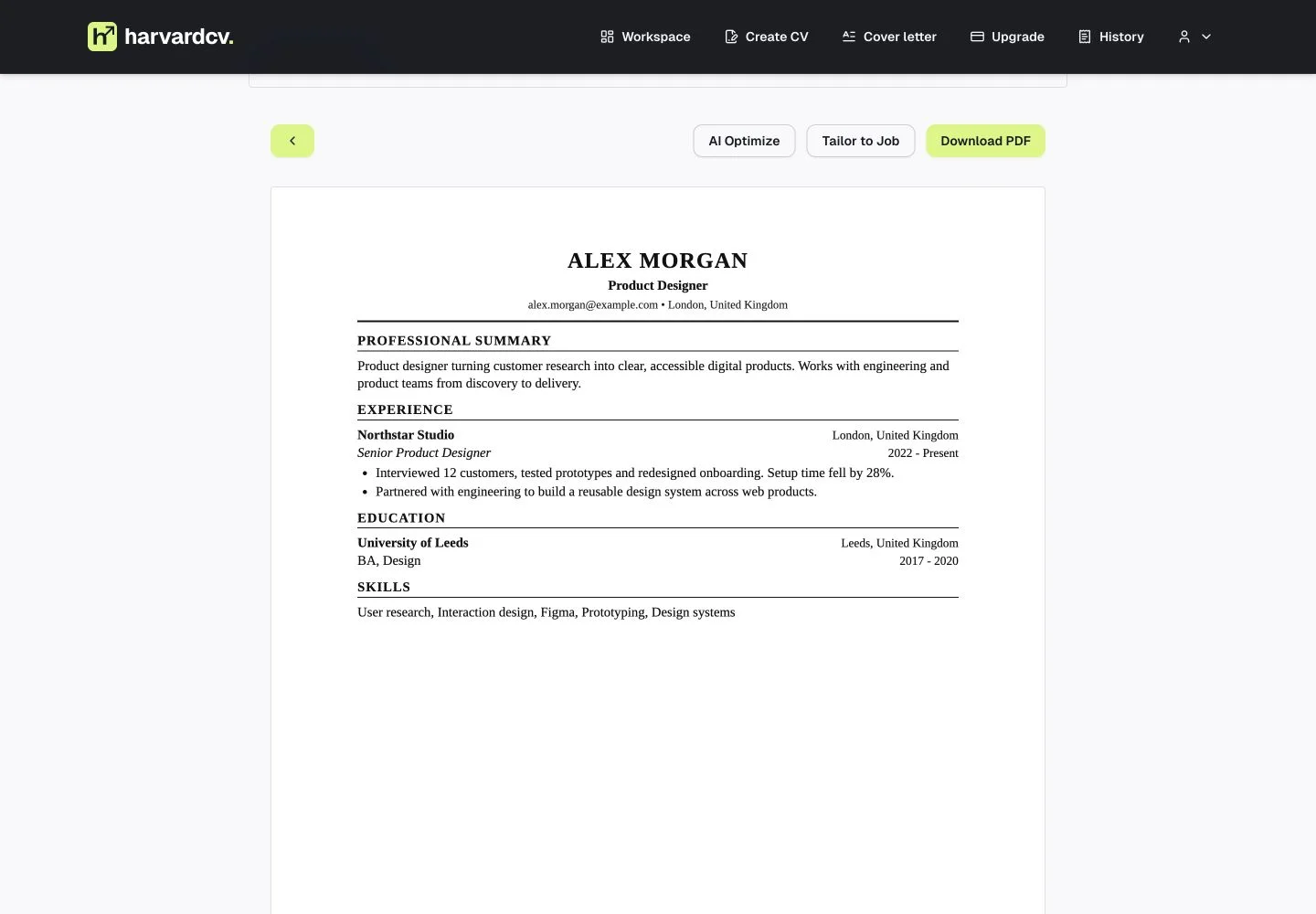
Read through the finished draft, verify the facts, and download your Harvard-format PDF. Your CV stays editable for the next opportunity.
Clean, single-column Harvard format
Preview before downloading
05 / 05
harvardcv. / pdf export
05 / Review and export your PDFActual app · illustrative CV
Your experience. Your facts. One clean Harvard format. The final word is always yours.
01 / A LITTLE HELP. A BIG DIFFERENCE.
Already have a CV? Start there.
Upload your CV. Let AI do the first rewrite. Then tailor it and create a matching cover letter.
UPLOAD YOUR CV. GET A BETTER DRAFT.
Same experience. Stronger wording.
Whatever your current layout, AI extracts your experience, education, and skills into a clean Harvard-format CV. Your facts stay the foundation; suggested rewrites help them read better.
No retyping jobs, dates, or education
Suggested wording improvements, ready for your review
Choose your PDF, Word, or text CV. Your file supplies the details, so you don’t have to enter them again.
02
Let AI rewrite and structure it.
AI organizes your information into Harvard format and suggests clearer, stronger wording. Review flagged details and achievement drafts before using them.
03
Review your new CV. Export.
Check the facts and suggested wording, refine anything you want in chat, then export your finished PDF. No CV yet? You can also start from scratch.
YOUR CAREER ISN’T A SUBSCRIPTION.
A fresh start. Without a monthly bill.
One CV credit creates one CV. Keep editing and improving that CV without spending another credit. Export your finished PDF when you’re ready.
No. Harvard CV Maker is an independent service and is not affiliated with, endorsed by, approved by, or sponsored by Harvard University. We built our own tools using publicly available resume and cover-letter guidance, including resources published by Harvard's career services. These resources inform our formatting rules and AI instructions.
We use public guidance as a reference when designing our layout, writing rules, and AI instructions. Our AI helps organize and improve the information you provide, and you review and edit the result. These are independently developed tools, not official Harvard templates or services.
Yes. Use the Harvard resume generator to start from scratch with chat or structured fields. Add your real experience, education, and skills, then review the AI wording and export your PDF. Uploading an existing CV is a shortcut, not a requirement. The same Harvard CV builder lets you keep editing your saved draft.
A Harvard-format CV uses a readable, single-column layout with clear headings for contact details, experience, education, and skills. Experience and education follow reverse-chronological order, with recent entries first. Describe your work with action verbs and supported results. The app uses one consistent layout without photos or decorative graphics; its clear structure supports readable, ATS-friendly applications.
Yes. Upload your existing CV as a PDF, Word, text, or Markdown file. AI extracts your details and generates a new editable Harvard-format CV with improved wording and structure. You do not need to retype your work history or fill in each section to get the first draft. Review the facts and suggested achievements before exporting.
Yes. Your current CV does not need to use a Harvard template. Upload a readable PDF, Word, text, or Markdown file and AI organizes the extracted information into the app's Harvard format. It is designed to preserve your names, roles, dates, qualifications, and other supplied facts. Review the extracted details and any suggested wording before exporting.
You do not need to enter extra career details to generate the first draft from a readable CV. If your file is missing important information, you can add it during review. Chat is there for optional refinements, such as rewriting a bullet or tailoring the draft to a role.
Yes. Paste a job description and the AI will emphasize supported experience, align language where your CV has evidence, and flag important job requirements that are missing from your background.
Yes. The cover letter generator uses your saved CV or uploaded CV text as context, then writes a one-page, role-specific letter grounded in your real experience.
Yes. Every CV and cover letter draft is editable. The best workflow is to generate a strong first draft, review the facts, refine anything personal, and then export.
The AI is designed to preserve supplied facts, dates, roles, and metrics, and to flag missing evidence instead of claiming unsupported skills. You should still review every final document before submitting it.
Yes. The builder uses a clean, single-column Harvard-format structure with standard headings and readable text, which is designed to work well with applicant tracking systems.